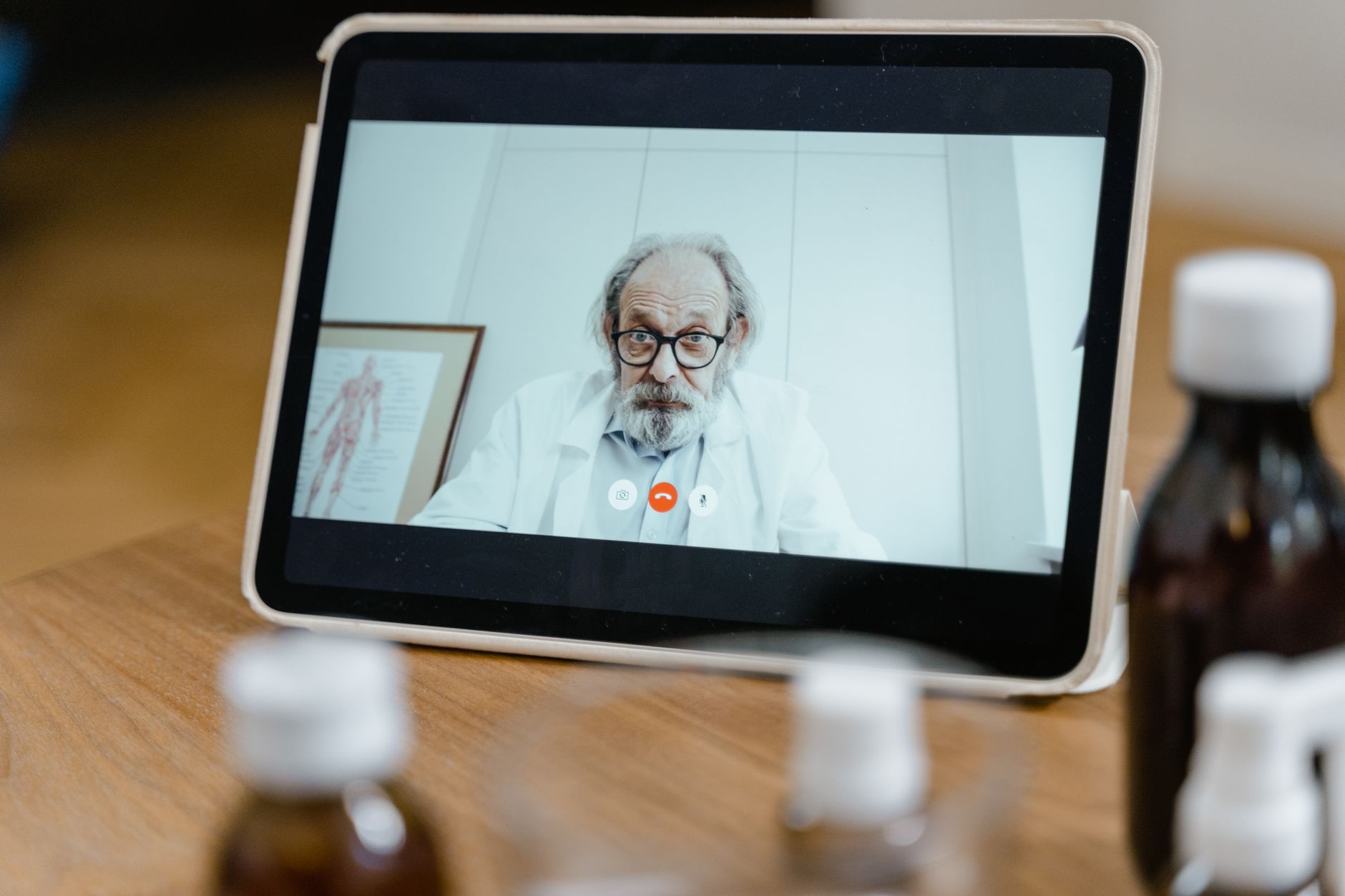
Tips for Clear Free Online Video Calls in Medical Settings
free online video calls medical

Tips for Clear Free Online Video Calls in Medical Settings

Ensure crystal-clear virtual consultations and seamless patient-provider communication with these essential tips.

Improve Your Telehealth Now

Key Takeaways

  • ✓ Proper lighting dramatically improves video quality.
  • ✓ A stable internet connection is crucial for uninterrupted calls.
  • ✓ Using a headset enhances audio clarity and privacy.
  • ✓ Minimizing background noise is essential for professional interactions.

How It Works

1
Assess Your Setup

Before any call, check your camera, microphone, and internet connection. This proactive step prevents last-minute technical glitches.

2
Optimize Your Environment

Choose a quiet, well-lit space with a neutral background. This creates a professional and distraction-free setting for medical consultations.

3
Test Your Audio & Video

Utilize built-in test features in your chosen platform. Confirm that your voice is clear and your video is sharp before connecting with patients or colleagues.

4
Communicate Effectively

Speak clearly, maintain eye contact with your camera, and use appropriate body language. These non-verbal cues are vital for effective virtual communication in healthcare.

Setting the Stage: Environmental Optimization for Telehealth Success
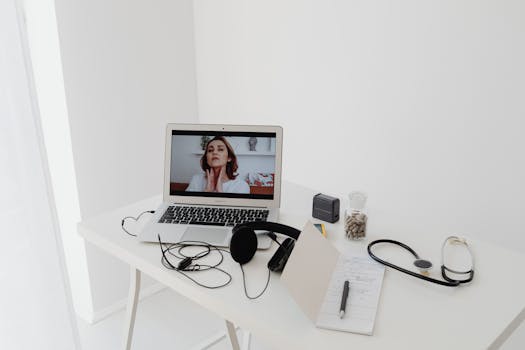
A virtual healthcare consultation via laptop with medical equipment on a minimalist desk. Photo: www.kaboompics.com / Pexels
In the rapidly evolving landscape of Canadian healthcare, telemedicine has become an indispensable tool, particularly for bridging geographical gaps and enhancing accessibility. However, the efficacy of free online video calls in a medical context hinges significantly on the environment in which they are conducted. Optimizing your physical space isn't just about aesthetics; it's about establishing a professional, private, and acoustically sound setting conducive to clear communication and patient comfort. **Lighting is Paramount:** The quality of your video feed is heavily dependent on good lighting. Avoid backlighting, which can cast your face into shadow, making it difficult for patients to read your expressions. Instead, aim for soft, natural light coming from in front of you or slightly to the side. If natural light isn't available, use a desk lamp with a diffuser, positioned strategically to illuminate your face evenly. Ring lights, often used by content creators, can also be a simple and effective solution for consistent, flattering illumination. Remember, clarity in video helps build rapport and trust, crucial elements in medical consultations where visual cues often complement verbal communication. **Minimizing Background Distractions:** A cluttered or distracting background can detract from your professionalism and divert a patient's attention. Choose a plain, neutral background whenever possible. A blank wall, a tidy bookshelf, or a simple curtain are ideal. Avoid busy patterns, personal items that might be deemed unprofessional, or anything that could compromise patient privacy (e.g., patient charts visible in the background). Many video conferencing platforms offer virtual backgrounds, but use these cautiously in a medical context. While they can obscure a messy room, they can sometimes appear artificial or glitchy, potentially undermining the seriousness of the consultation. If using a virtual background, ensure it's a professional, static image that doesn't introduce new distractions. **Soundproofing and Acoustic Considerations:** Audio clarity is arguably more critical than video in medical consultations. Unwanted background noise can make it difficult for patients to understand diagnoses, treatment plans, or important instructions. Conduct calls in a quiet room, away from open windows, busy corridors, or noisy equipment. Close doors and windows to minimize external sounds. Soft furnishings like carpets, curtains, and upholstered furniture can help absorb sound and reduce echoes, significantly improving audio quality. If your office space is particularly echoey, consider acoustic panels or even strategically placed blankets to dampen sound. Investing in a good quality headset with noise-cancelling features, discussed in more detail later, can also dramatically improve your outgoing audio by isolating your voice from ambient noise. By meticulously preparing your environment, you lay the groundwork for successful and clear free online video calls, fostering a more effective and empathetic virtual care experience for your Canadian patients.

Technical Prowess: Optimizing Your Devices and Internet for Seamless Calls

Young male doctor with stethoscope browsing on smartphone indoors. Photo: Ivan S / Pexels
Beyond the physical environment, the technical backbone of your free online video calls plays an equally vital role in ensuring clarity and reliability. In the demanding medical field, dropped calls, frozen screens, or garbled audio are not just inconveniences; they can be detrimental to patient care and efficiency. Therefore, a proactive approach to optimizing your devices and internet connection is non-negotiable. **Internet Connection Stability and Speed:** Your internet connection is the lifeline of your virtual consultations. A slow or unstable connection is the primary culprit behind poor video and audio quality. Whenever possible, use a wired Ethernet connection instead of Wi-Fi. Ethernet provides a more stable and often faster connection, less prone to interference. If Wi-Fi is your only option, ensure your router is in a central location, not obstructed by walls or furniture, and consider upgrading to a newer router that supports faster speeds (e.g., Wi-Fi 6). Check your internet speed regularly using online tools; for video calls, a minimum upload and download speed of 10-15 Mbps is generally recommended for a single user, with higher speeds needed for multiple users or high-definition video. Close unnecessary applications and browser tabs that might be consuming bandwidth, and if others in your household are streaming or gaming, politely ask them to pause during your call. **Device Performance and Updates:** The device you use – whether a laptop, desktop, or tablet – needs to be up to the task. Ensure your operating system and video conferencing software are always updated to the latest versions. Updates often include performance enhancements, bug fixes, and security patches that can improve call quality and stability. Regularly restart your device to clear temporary files and refresh its memory. Close all non-essential applications running in the background before a call to free up system resources. A device struggling with multiple open programs will inevitably lead to choppy video and audio. **Camera and Microphone Quality:** While built-in cameras and microphones can suffice for casual calls, for professional medical consultations, investing in external peripherals can make a significant difference. A good quality external webcam (1080p or higher) offers superior image clarity, better low-light performance, and often a wider field of view than most integrated laptop cameras. Similarly, an external USB microphone or a dedicated headset with a boom mic provides much clearer audio, reduces ambient noise, and ensures your voice is consistently audible. Headsets are particularly beneficial as they place the microphone close to your mouth, minimizing external interference, and also provide privacy for the patient by ensuring only you hear their responses. Test your chosen camera and microphone in the platform settings before each call to confirm they are selected and functioning correctly.

See also: monkey-app.net.

Software & Security: Choosing and Using Platforms for Secure Medical Video Calls

The choice of video conferencing platform and how it's utilized is paramount in the medical field, especially when dealing with sensitive patient information. In Canada, healthcare providers must adhere to stringent privacy regulations, such as those outlined in provincial health information acts and PIPEDA (Personal Information Protection and Electronic Documents Act). This makes selecting a secure, compliant platform a critical decision, not just for clear communication but for ethical practice and legal protection. Choosing the right telemedicine platform can significantly impact the quality and security of your virtual consultations. **Selecting a PIPEDA-Compliant Platform:** Not all free video call services are created equal, particularly concerning data privacy and security. For medical applications, it’s imperative to use platforms that are explicitly designed for healthcare or offer robust business-grade security features that meet Canadian privacy standards. Look for features such as end-to-end encryption, secure data storage (preferably within Canada to comply with data residency requirements), and Business Associate Agreements (BAAs) if applicable. While popular platforms like Zoom, Microsoft Teams, and Google Meet offer free tiers, their free versions may lack the necessary security and privacy controls for medical use. Investigate their paid, healthcare-specific versions or alternative platforms like Doxy.me, which are built with HIPAA/PIPEDA compliance in mind. Always review the terms of service and privacy policies carefully to understand how your data and your patients' data are handled. **Mastering Platform Features:** Once you’ve selected a compliant platform, take the time to familiarize yourself with its features. Beyond basic video and audio, many platforms offer tools that can enhance medical consultations: screen sharing for reviewing lab results or images, a chat function for sharing links or quick notes, and virtual waiting rooms to manage patient flow. Understanding these features allows for a more interactive and efficient consultation. Practice using them before your first patient call to avoid fumbling during a live session. Many platforms also offer settings to adjust video resolution and audio input/output, which are crucial for optimizing call quality based on your internet connection and hardware. **Security Best Practices in Practice:** Even with a secure platform, user practices contribute significantly to overall security. Always use strong, unique passwords for your accounts and enable two-factor authentication (2FA) wherever available. Never share meeting links or passwords publicly. For sensitive consultations, consider using unique meeting IDs and passwords for each session. Be wary of phishing attempts or suspicious links. Ensure your operating system and antivirus software are up-to-date to protect against malware that could compromise your device and, by extension, your video calls. Educate your patients on how to join securely and reassure them about the privacy measures in place. By combining a secure platform with diligent security practices, you can ensure that your free online video calls are not only clear but also confidential and compliant with Canadian healthcare regulations.

Common Pitfalls & Proactive Solutions for Clear Calls

Even with meticulous preparation, challenges can arise during free online video calls in a medical context. Anticipating these common pitfalls and having proactive solutions in place can save valuable time and prevent disruptions to patient care. **1. Audio Issues (Echo, Muffled Sound, Feedback):** * **Pitfall:** Echoing sound, muffled voices, or distracting feedback loops. * **Solution:** Insist on headset use for both parties if possible. Ensure only one microphone is active per participant. Check that speaker output is not too high, causing sound to bleed into the microphone. Many platforms have echo cancellation features – ensure they are enabled. Test your microphone and speaker levels before the call. If using an external mic, ensure it's pointed directly at you and not picking up ambient noise. **2. Video Freezing or Pixelation:** * **Pitfall:** Video feed freezes, becomes blocky, or drops out entirely. * **Solution:** This is almost always an internet bandwidth issue. If using Wi-Fi, move closer to the router or switch to an Ethernet cable. Close all other bandwidth-intensive applications (streaming, large downloads). If your connection is consistently poor, consider upgrading your internet plan. During a call, if video quality degrades, temporarily turn off your own video to prioritize audio, or ask the patient to do the same. **3. Background Distractions (Visual & Auditory):** * **Pitfall:** Unprofessional backgrounds, family members walking into view, or loud noises from pets or household activities. * **Solution:** Establish a dedicated, private space for calls. Inform household members of your call schedule. Use a neutral, uncluttered background. If unavoidable distractions occur, apologize briefly and professionally, and try to mitigate them quickly. Mute your microphone when not speaking if there’s background noise on your end. **4. Connectivity Drops:** * **Pitfall:** The video call disconnects unexpectedly. * **Solution:** Have a backup communication plan. Share your phone number with patients at the start of the call in case of disconnection. If a drop occurs, immediately try to rejoin the meeting or initiate a phone call. Regularly check your internet service provider for outages in your area. Consider having a mobile hotspot as a last-resort backup. **5. Patient Technical Difficulties:** * **Pitfall:** Patients struggle to join the call, can't hear, or can't be seen. * **Solution:** Provide clear, simple, step-by-step instructions for joining the call well in advance. Offer to do a brief test call with new patients. Be patient and guide them through troubleshooting steps (e.g., 'Check if your microphone is muted,' 'Ensure your camera is selected'). Have a help desk number or email available for patient technical support if your clinic offers one. Remember, not all patients are tech-savvy, and their comfort with the technology directly impacts the effectiveness of the consultation. A little empathy and clear guidance go a long way.

Comparison

FeatureDoxy.me (Free Tier)Zoom (Free Tier)Google Meet (Free Tier)Microsoft Teams (Free Tier)
PIPEDA/HIPAA Compliance✓ (Designed for Healthcare)Partial (Business Assoc. required)Partial (Business Assoc. required)Partial (Business Assoc. required)
End-to-End Encryption✓ (for 1:1, not group)✓ (for 1:1, not group)
Waiting Room Feature
Meeting Duration LimitUnlimited (1:1)40 min (group)60 min (group)60 min (group)
Screen Sharing
File Sharing✓ (chat)✓ (chat)✓ (chat)
Canadian Data Residency Option✓ (Pro/Clinic plans)✗ (Global Servers)✗ (Global Servers)✗ (Global Servers)
Ease of Use (Patient)Very Easy (browser-based)Easy (app/browser)Easy (app/browser)Moderate (app required)

What Readers Say

"Following these tips for clear free online video calls completely transformed my telehealth practice. My patients consistently comment on the improved audio and video quality, making consultations much more effective and personal."

Dr. Emily Chen · Vancouver, BC

"The environmental optimization advice for free online video calls was a game-changer. My virtual background now looks professional, and I've eliminated echoes, which significantly boosts patient confidence and privacy during their appointments."

Nurse Practitioner David Lee · Calgary, AB

"Implementing the technical advice, especially regarding internet stability and external hardware, has drastically reduced dropped calls and technical issues during our free online video calls. Our patient satisfaction scores for virtual visits have improved by 20%."

Clinic Manager Sarah Jenkins · Toronto, ON

"While most tips for clear free online video calls were incredibly helpful, I initially found it challenging to convince all my patients to use headsets. However, the benefits in audio clarity are undeniable, and we're seeing better engagement even with minor tech hurdles."

Physiotherapist Mark Desjardins · Montreal, QC

"As a student observing virtual rounds, applying these tips to my own calls has made my presentations much clearer and more professional. It's not just for patient care; it's essential for any medical professional interacting virtually."

Medical Student Olivia Grant · Halifax, NS

Frequently Asked Questions

What is the most common reason for poor quality in free online video calls for medical use?

The most common reason for poor quality is an unstable or slow internet connection. Insufficient bandwidth, especially for upload speed, can lead to pixelated video, frozen screens, and choppy audio. Additionally, suboptimal lighting and background noise significantly degrade the overall clarity and professionalism of the call, impacting patient perception and effective communication.

Is it safe to use free video call platforms for patient consultations in Canada?

Using free video call platforms for patient consultations in Canada requires careful consideration of privacy and security. While some platforms offer basic encryption, their free tiers may not meet PIPEDA (Personal Information Protection and Electronic Documents Act) or provincial health information act requirements regarding data residency, business associate agreements, and comprehensive security features. It is generally recommended to use paid, healthcare-specific versions or platforms explicitly designed for medical use that are compliant with Canadian privacy regulations to protect sensitive patient information.

How can I improve my audio quality without buying expensive equipment?

To improve audio quality without expensive equipment, focus on your environment. Conduct calls in a quiet room, away from noise sources. Close doors and windows to minimize external sounds. Use soft furnishings like curtains or carpets to absorb echoes. Speak directly into your device's microphone, and if possible, use basic earbuds with an in-line microphone, which are often better than a laptop's built-in mic for isolating your voice.

Are free video call services truly free, or are there hidden costs for medical use?

Many free video call services are indeed free for basic use, but for medical applications, there can be 'hidden costs' in terms of compliance and features. While the platform itself might be free, achieving the necessary level of security, privacy (like Canadian data residency), and advanced features (e.g., longer meeting times, screen sharing, waiting rooms) often requires upgrading to a paid business or healthcare-specific plan. The 'cost' of non-compliance with privacy laws can also be significant.

How do free online video calls compare to dedicated telehealth platforms?

Free online video calls typically offer basic communication features but often lack the robust security, compliance, and specialized functionalities found in dedicated telehealth platforms. Dedicated platforms are built with healthcare regulations (like PIPEDA) in mind, offering end-to-end encryption, secure patient waiting rooms, electronic health record (EHR) integration, and often Canadian data residency options. While free options can be a starting point, dedicated telehealth platforms provide a more secure, feature-rich, and compliant environment for professional medical consultations.

Who should prioritize these tips for clear free online video calls?

Any Canadian healthcare professional, including physicians, nurses, therapists, and administrative staff, who conducts virtual consultations or meetings should prioritize these tips. Additionally, patients engaging in telehealth appointments can benefit from understanding these principles to optimize their own setup, ensuring a more effective and clear communication channel with their care providers.

What are the privacy risks associated with using free online video calls for medical advice?

The primary privacy risks include potential breaches of patient confidentiality due to inadequate encryption, data storage in non-compliant jurisdictions (outside Canada), and lack of formal Business Associate Agreements. Free platforms may also use aggregated user data for their own purposes or lack the robust access controls necessary to prevent unauthorized viewing or recording of sensitive medical information, potentially violating PIPEDA and other privacy regulations.

What future trends might impact clear free online video calls in medicine?

Future trends include the widespread adoption of 5G technology for more stable and faster mobile connections, advancements in AI-powered noise cancellation and video enhancement, and the integration of augmented reality (AR) for more immersive diagnostic and therapeutic interactions. Increased focus on interoperability between telehealth platforms and EHR systems will also streamline workflows, while stricter data sovereignty regulations may lead to more localized server infrastructure for medical video calls.

Embrace the future of healthcare with confidence. By implementing these expert tips for clear free online video calls, you can ensure every virtual interaction is professional, private, and profoundly impactful for your Canadian patients. Start optimizing your telehealth experience today and deliver exceptional care, no matter the distance.

Topics: free online video calls medicaltelehealth communication tipssecure virtual care Canadaoptimizing video calls healthcareclear medical video conferencing
Leo List
Brampton weed
Adultwork